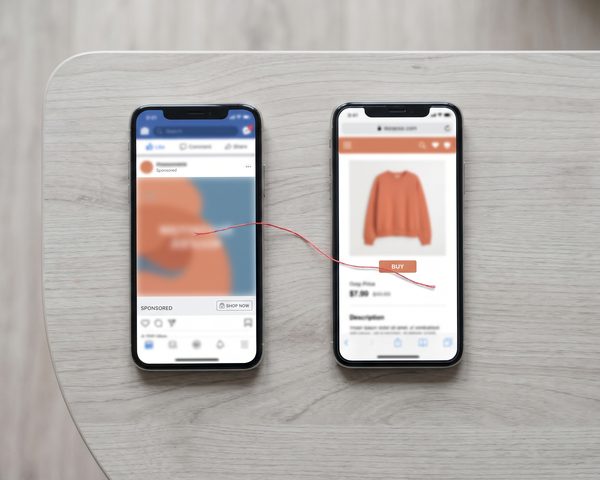


If your salon books through Boulevard and your ad platforms show few or no bookings, the ads aren't the problem. The booking happens where your pixels can't see it.
The short answer: capture the ad click IDs on your landing page, let Boulevard notify your server when an appointment is created or completed, match the booking to the click, then send it to each ad platform's server-side API: Meta's Conversions API, Google Ads click conversions, TikTok's Events API, Snapchat's Conversions API and Nextdoor's Conversion API.
We built exactly this for a US salon using Boulevard that advertises on all five platforms. This guide is the full build, including the parts that went wrong. If you're a salon owner, read the first three sections and the checklist at the end. If you're the developer, the rest is for you.
Last verified: November 2026. API versions, endpoints and event names below were checked against each platform's documentation. Boulevard behaviors come from our own build in 2026. Re-check both before you ship.
Why pixels miss Boulevard bookings
Boulevard's booking widget opens as an overlay, but it's an iframe served from Boulevard's domain. Your pixels run on your page and can't see inside it. On top of that:
window.blvdonly exposes loader methods such asinitandopenBookingWidget. There's no.on()event API.- The iframe doesn't send a useful "booking completed"
postMessage. - iOS privacy features, Safari's tracking prevention and ad blockers cut browser events even on your own pages.
We tested every browser-side workaround first. None of them work. The details are in the iframe problem: why you can't track Boulevard widget bookings in the browser.
What you'll build
Five parts, each small:
AD CLICK          LANDING PAGE             YOUR SERVER (Cloudflare Worker)         AD PLATFORMS
─────────         ────────────             ───────────────────────────────         ────────────
fbclid/gclid ──▶  capture click IDs ──POST──▶ store click IDs (KV)
ttclid/ScCid                                           │
ndclid            visitor books in the                 │
                  Boulevard widget                     │
                         │                             │
            Boulevard ── webhook (APPOINTMENT_CREATED / COMPLETED) ──▶ verify HMAC
                                                       │ fetch appointment + order (GraphQL)
                                                       │ match booking ↔ click
                                                       ├──▶ Meta Conversions API
                                                       ├──▶ Google Ads click conversions
                                                       ├──▶ TikTok Events API
                                                       ├──▶ Snapchat Conversions API
                                                       ├──▶ Nextdoor Conversion API
                                                       └──▶ Google Sheet → Looker Studio
We ran the server part on a Cloudflare Worker with KV storage. Any server that can receive webhooks and make HTTPS calls works.
We send two signals for every appointment:
| Moment | Boulevard webhook | What it means | Value |
|---|---|---|---|
| Booked | APPOINTMENT_CREATED |
Optimization signal: "someone booked" | 0 |
| Completed | APPOINTMENT_COMPLETED |
ROAS signal: "this visit earned money" | Real revenue |
The value is 0 at booking because Boulevard creates the order later: orderId is null when the appointment is created. Revenue only exists at checkout.
Step 1: Get Boulevard API access
Boulevard's Admin API isn't open by default. You request access through Boulevard's Developer Portal, then create a custom app for the business, which gives you an API key (application ID) and a base64-encoded API secret. Ours was approved within a couple of days of the request.
You'll also need the business ID. Keep all three as server secrets, never in code, a shared doc or a frontend.
Step 2: Capture click IDs on the landing page
Every platform appends its own click ID to the landing URL:
| Platform | Click ID | Notes |
|---|---|---|
| Meta | fbclid |
Also send the _fbp / _fbc cookies if you have them |
| Google Ads | gclid, gbraid, wbraid |
gbraid/wbraid appear on iOS traffic |
| TikTok | ttclid |
|
| Snapchat | ScCid |
Appended when someone clicks or swipes up |
| Nextdoor | ndclid |
Sent as click_id in the Conversion API |
A small script reads them, plus UTMs, and posts them to your server:
// On every page: capture ad click IDs + UTMs and deposit them server-side
(function () {
  const p = new URLSearchParams(location.search);
  const keys = ['fbclid', 'gclid', 'gbraid', 'wbraid', 'ttclid', 'ScCid', 'ndclid',
                'utm_source', 'utm_medium', 'utm_campaign', 'utm_content', 'utm_term'];
  const data = {};
  keys.forEach((k) => { if (p.get(k)) data[k] = p.get(k); });
  if (!Object.keys(data).length) return;

  data.landing_url = location.href;
  data.user_agent = navigator.userAgent;   // platforms use it for matching
  data.ts = Date.now();

  fetch('https://YOUR_WORKER_DOMAIN/track/landing', {
    method: 'POST',
    headers: { 'Content-Type': 'application/json' },
    body: JSON.stringify(data),
    keepalive: true,
  }).catch(() => {});
})();
The Worker stores the payload in KV with an expiry. We used 60 minutes. Bookings that happen later than that have no click to match, which we accepted because most ad bookings happen in the same session.
Step 3: Receive and verify Boulevard webhooks
Subscribe your endpoint to APPOINTMENT_CREATED and APPOINTMENT_COMPLETED. Event names are SCREAMING_SNAKE_CASE: appointment.created won't match anything.
Boulevard signs each webhook with two headers:
x-blvd-hmac-saltx-blvd-hmac-sha256: a base64 HMAC-SHA256 ofsalt + ":" + raw_body, keyed with the base64-decoded secret
In our build, the webhook secret was the same value as the API secret. Three rules matter more than the code:
- Acknowledge
PINGevents with 200 before checking the signature. Boulevard pings when you register the webhook. - Return a 2xx within a few seconds. Boulevard expects a fast response and retries otherwise. Acknowledge first, process after.
- Don't let it fail for long. Sustained failures can get the subscription automatically disabled, and you'll silently stop receiving bookings.
// Cloudflare Worker: verify the Boulevard signature, ack fast, process async
const b64ToBytes = (b64) => Uint8Array.from(atob(b64), (c) => c.charCodeAt(0));
const bytesToB64 = (bytes) => btoa(String.fromCharCode(...bytes));

async function hmacB64(secretB64, message) {
  const key = await crypto.subtle.importKey('raw', b64ToBytes(secretB64),
    { name: 'HMAC', hash: 'SHA-256' }, false, ['sign']);
  const sig = await crypto.subtle.sign('HMAC', key, new TextEncoder().encode(message));
  return bytesToB64(new Uint8Array(sig));
}

function safeEqual(a, b) {                     // constant-time string compare
  if (a.length !== b.length) return false;
  let diff = 0;
  for (let i = 0; i < a.length; i++) diff |= a.charCodeAt(i) ^ b.charCodeAt(i);
  return diff === 0;
}

export default {
  async fetch(request, env, ctx) {
    const url = new URL(request.url);
    if (url.pathname !== '/webhooks/boulevard' || request.method !== 'POST') {
      return new Response('Not found', { status: 404 });
    }
    const raw = await request.text();
    const body = JSON.parse(raw);

    if (body.eventType === 'PING') return new Response('ok');   // ack before verifying

    const salt = request.headers.get('x-blvd-hmac-salt') || '';
    const given = request.headers.get('x-blvd-hmac-sha256') || '';
    const expected = await hmacB64(env.BLVD_WEBHOOK_SECRET, `${salt}:${raw}`);
    if (!safeEqual(expected, given)) return new Response('Bad signature', { status: 401 });

    ctx.waitUntil(processConversion(body, env));   // do the slow work after responding
    return new Response('ok');
  },
};
Step 4: Fetch the appointment and the revenue
The webhook tells you what happened. For client details and money, call Boulevard's Admin GraphQL API.
The signed-token authentication
The Admin API doesn't use plain Basic Auth. Each request needs a short-lived signed token:
payload = "blvd-admin-v1" + BUSINESS_ID + unix_timestampsignature = base64(HMAC-SHA256(payload, base64_decode(API_SECRET)))token = signature + payload(no separator)- Header:
Authorization: Basic base64(API_KEY + ":" + token)
async function blvdAuthHeader(env) {
  const ts = Math.floor(Date.now() / 1000);
  const payload = `blvd-admin-v1${env.BLVD_BUSINESS_ID}${ts}`;
  const signature = await hmacB64(env.BLVD_API_SECRET, payload);   // from Step 3
  return 'Basic ' + btoa(`${env.BLVD_API_KEY}:${signature}${payload}`);
}

async function blvdQuery(env, query, variables) {
  const res = await fetch('https://dashboard.boulevard.io/api/2020-01/admin', {
    method: 'POST',
    headers: { 'Content-Type': 'application/json', Authorization: await blvdAuthHeader(env) },
    body: JSON.stringify({ query, variables }),
  });
  const json = await res.json();
  if (json.errors) throw new Error(JSON.stringify(json.errors));
  return json.data;
}
GraphQL gotchas we hit
- An Appointment has no money fields. Revenue lives on the
Order, referenced byorderId, which needs a second query. orderIdis null atAPPOINTMENT_CREATED. That's why booking events carry value 0.- The services field is
appointmentServices, notbookedServices. OrderSummaryhas nototal. Compute it:currentSubtotal + currentTaxAmount + currentFeeAmount + currentGratuityAmount − currentDiscountAmount.- Amounts are integers in cents. A real $1 service returned
currentSubtotal = 100in our test. Divide by 100. customFieldsrequires akeysargument. You can't query them generically.- There's no currency field on the summary. We defaulted to USD for a US-only business.
// On APPOINTMENT_COMPLETED: compute revenue from the order summary (cents → dollars)
async function getRevenue(env, orderId) {
  if (!orderId) return 0;
  const { order } = await blvdQuery(env, `
    query ($id: ID!) { order(id: $id) { summary {
      currentSubtotal currentTaxAmount currentFeeAmount currentGratuityAmount currentDiscountAmount
    } } }`, { id: orderId });
  const s = order.summary;
  const cents = s.currentSubtotal + s.currentTaxAmount + s.currentFeeAmount
              + s.currentGratuityAmount - s.currentDiscountAmount;
  return Math.round(cents) / 100;
}
Step 5: Match the booking to the right click
This is the step most guides skip, and where our first version failed.
The webhook is a server-to-server call, so it doesn't carry the visitor's IP or any click ID. Your server has click IDs on one side and appointments on the other, with no shared key. Our first version took "the most recent landing," which looked perfect in solo tests and, at real traffic, mis-credited 35 of 43 appointments. The full story is in our match-by-IP case study.
Use these matching methods, best first:
- Owned booking flow (fully deterministic). Build the booking UI on Boulevard's client-side booking SDK. Checkout returns the appointment ID in your page, and in our proof of concept it was byte-identical to the ID in the webhook. Store
appointmentId → click IDsat checkout. - Identity match. Capture email or phone on your page before the widget opens, store click IDs under a SHA-256 hash of them, and look up the booked client's hashed email/phone when the webhook arrives. Email and phone are the only data on both sides of the iframe.
- Timing fallback (a guess). Most recent "Book Now" intent, then most recent landing. Use it only as a labeled fallback.
Whatever you use, log the match method on every booking (we used a match_tier column), and lock the attribution at APPOINTMENT_CREATED, then reuse it at APPOINTMENT_COMPLETED instead of guessing twice.
Step 6: Send the conversion to each platform
Build one conversion object per appointment, then fan out. A per-appointment event_id (for example derived from the appointment ID plus the event type) makes retries safe and lets platforms deduplicate.
| Platform | API (Nov 2026) | Booked | Completed | Watch out for |
|---|---|---|---|---|
| Meta | Conversions API, POST /{PIXEL_ID}/events |
Schedule |
Purchase + value |
Share event_id with the pixel |
| Google Ads | customers/{id}:uploadClickConversions (v26.1 current) |
"Booked" action | "Completed" action + value | Needs gclid/gbraid/wbraid; partial failures |
| TikTok | Events API, POST /open_api/v1.3/event/track/ |
Lead (formerly SubmitForm) |
Purchase (formerly CompletePayment) + value |
HTTP 200 with code ≠ 0 is a failure |
| Snapchat | Conversions API v3, POST /v3/{PIXEL_ID}/events |
RESERVE + SIGN_UP |
PURCHASE + value |
RESERVE isn't optimizable for web campaigns |
| Nextdoor | Conversion API | lead |
purchase + value |
click_id = ndclid; access requested separately |
Hash email and phone with SHA-256 for every platform: email trimmed and lowercased, phone in E.164 format (+1…).
Meta: Schedule and Purchase
async function sendMeta(env, c) {
  const res = await fetch(
    `https://graph.facebook.com/GRAPH_API_VERSION/${env.META_PIXEL_ID}/events?access_token=${env.META_ACCESS_TOKEN}`,
    {
      method: 'POST',
      headers: { 'Content-Type': 'application/json' },
      body: JSON.stringify({ data: [{
        event_name: c.type === 'completed' ? 'Purchase' : 'Schedule',
        event_time: Math.floor(Date.now() / 1000),
        event_id: c.event_id,                     // same ID the browser pixel used
        action_source: 'website',
        event_source_url: c.landing_url,
        user_data: {
          em: c.hashed_email ? [c.hashed_email] : undefined,
          ph: c.hashed_phone ? [c.hashed_phone] : undefined,
          fbc: c.fbclid ? `fb.1.${c.click_ts}.${c.fbclid}` : undefined,
          client_user_agent: c.user_agent,
        },
        custom_data: c.value > 0 ? { value: c.value, currency: 'USD' } : undefined,
      }] }),
    });
  if (!res.ok) throw new Error('Meta ' + res.status + ' ' + await res.text());
}
Meta discards the duplicate when the browser eventID and the server event_id match for the same event name on the same pixel within 48 hours.
Google Ads: click conversions, carefully
Important 2026 change: new builds should use Google's Data Manager API. Since June 15, 2026, the Google Ads API only accepts
uploadClickConversionsfrom developer tokens that already uploaded offline conversions between December 17, 2025 and June 15, 2026. Anyone else getsCUSTOMER_NOT_ALLOWLISTED_FOR_THIS_FEATURE, and Google points new offline-conversion workflows to the Data Manager API. Our pipeline was already uploading before the cutoff, so it kept working. If you're starting today, build the Google step on the Data Manager API. The rules below (skip when there's no click ID, dedup, one identifier, value only when you have one, read failures properly) apply either way. Check Google's deprecations page for the current rules.
- Skip the upload when there's no
gclid,gbraidorwbraid. Otherwise every Meta or TikTok booking produces an error in your Google logs. - HTTP 200 is not success. With
partialFailure: true, rejected conversions come back insidepartialFailureError. Treat it as a failure, or you're blind. ONE_PER_CLICK_CONVERSION_ACTION_NOT_PERMITTED_WITH_BRAID: set the conversion action's count to Every (many per click). gbraid/wbraid can't be used with "One".- Use
orderId= yourevent_idso retries don't double count. - Pin the API version and watch the sunset schedule. Google moved to monthly releases in 2026. We built on v24; v26.1 is current as of November 2026.
- A synthetic test gclid returns
UNPARSEABLE_GCLID. That's expected and proves auth and the conversion action work. A new conversion action shows "Inactive" until real conversions arrive, which took us 3 to 24 hours.
async function sendGoogle(env, c, accessToken) {
  const click = c.gclid ? { gclid: c.gclid } : c.gbraid ? { gbraid: c.gbraid } : c.wbraid ? { wbraid: c.wbraid } : null;
  if (!click) return { skipped: 'no google click id' };          // skip-guard

  const res = await fetch(
    `https://googleads.googleapis.com/vNN/customers/${env.GOOGLE_CUSTOMER_ID}:uploadClickConversions`, {
    method: 'POST',
    headers: {
      Authorization: `Bearer ${accessToken}`,
      'developer-token': env.GOOGLE_DEVELOPER_TOKEN,
      'login-customer-id': env.GOOGLE_LOGIN_CUSTOMER_ID,          // your manager account
      'Content-Type': 'application/json',
    },
    body: JSON.stringify({
      partialFailure: true,
      conversions: [{
        ...click,
        conversionAction: `customers/${env.GOOGLE_CUSTOMER_ID}/conversionActions/${
          c.type === 'completed' ? env.GOOGLE_ACTION_COMPLETED : env.GOOGLE_ACTION_BOOKED}`,
        conversionDateTime: c.google_datetime,                     // "yyyy-mm-dd hh:mm:ss+00:00"
        orderId: c.event_id,
        ...(c.value > 0 ? { conversionValue: c.value, currencyCode: 'USD' } : {}),
      }],
    }),
  });
  const json = await res.json();
  if (!res.ok || json.partialFailureError) {                       // 200 can still be a failure
    throw new Error('Google: ' + JSON.stringify(json.partialFailureError || json));
  }
  return json;
}
API access also needs a developer token with at least Basic access, an OAuth client and a refresh token. Basic access is a separate application, and ours was approved within a few days.
TikTok: check code, not only the status
TikTok's Events API can return HTTP 200 with a non-zero code. Always check it. Note that TikTok renamed SubmitForm to Lead and CompletePayment to Purchase; the old names still work, but use the new ones in a new build (details in our TikTok Events API article):
const res = await fetch('https://business-api.tiktok.com/open_api/v1.3/event/track/', {
  method: 'POST',
  headers: { 'Access-Token': env.TIKTOK_ACCESS_TOKEN, 'Content-Type': 'application/json' },
  body: JSON.stringify({
    event_source: 'web',
    event_source_id: env.TIKTOK_PIXEL_ID,
    data: [{
      event: c.type === 'completed' ? 'Purchase' : 'Lead',   // formerly CompletePayment / SubmitForm
      event_time: Math.floor(Date.now() / 1000),
      event_id: c.event_id,
      user: { ttclid: c.ttclid, email: c.hashed_email, phone: c.hashed_phone,
              external_id: c.hashed_external_id, user_agent: c.user_agent },
      properties: c.value > 0 ? { value: c.value, currency: 'USD' } : {},
    }],
  }),
});
const json = await res.json();
if (json.code !== 0) throw new Error('TikTok code ' + json.code + ': ' + json.message);
One more TikTok lesson: "0 conversions on day one" often just means nobody booked yet. Confirm with a controlled test booking before you blame tracking.
Snapchat and Nextdoor
- Snapchat: send to the v3 endpoint with your pixel ID.
RESERVEdescribes a booking well, but it isn't an optimizable goal for web campaigns, so we also sendSIGN_UPand optimize toward Pixel Sign Up. Pass theScCidclick ID when you have it. - Nextdoor: pass
ndclidasclick_idand anevent_idfor dedup. Conversion API access has to be requested separately. Nextdoor has deprecated some older fields (the pixel ID is nowdata_source_id), so follow the current reference. With an iframe booking there's no thank-you URL, so leave URL-based events empty.
Step 7: Deduplicate browser and server events
You'll usually keep the browser pixels for upper-funnel events such as ViewContent and InitiateCheckout. Two rules keep the numbers clean:
- Fire funnel events on the Book Now click, not when the widget's iframe appears. Boulevard preloads a hidden iframe at
blvd.init(), so "iframe inserted" fires on every page view. Our earlyAddToCartdid exactly that and had to be removed. - Use the same
event_idin the browser and the server for any event you send from both.
Step 8: A dashboard you can trust
We log every conversion as a row in a Google Sheet (via a small Apps Script web app) with the appointment, channel, click ID, match tier and value. A Looker Studio report reads the Sheet: bookings by channel, new clients, revenue and recent bookings.
What tripped us up:
- Blends of the Sheet with Google Ads cost repeatedly threw
Data Set Configuration Error. Use standalone Google Ads scorecards, or join the data inside the Sheet. - New Sheet columns break the data source until you click "Refresh fields."
- Only Google Ads has a free native Looker connector. For Meta and TikTok spend, enter it weekly or use a paid connector.
Security basics
- Store every key, token and secret as a server secret (we used Worker secrets). Never in shared docs or chat.
- If a secret ever lands somewhere shared, rotate it. We regenerated a Google refresh token after exactly that.
- Never commit helper scripts with real credentials filled in.
Common errors
- Bookings show in Boulevard but not in Ads Manager: no server-side events, or a test event code still set on Meta or TikTok.
401on your webhook: wrong secret encoding. The secret is base64 and must be decoded before signing.- Revenue 100× too high: amounts are in cents.
ONE_PER_CLICK_CONVERSION_ACTION_NOT_PERMITTED_WITH_BRAID: set the Google conversion action count to Every.- Google HTTP 200 but nothing recorded: read
partialFailureError. CUSTOMER_NOT_ALLOWLISTED_FOR_THIS_FEATURE: new Google integrations must use the Data Manager API (since June 15, 2026).UNPARSEABLE_GCLID: expected with fake test click IDs.- TikTok HTTP 200 but no event:
codeisn't 0. - Every booking credited to one Meta campaign: recency matching under concurrent traffic. See Step 5.
- Webhook stops arriving: the subscription was auto-disabled after repeated failures. Re-register it.
Testing checklist
- Click IDs reach your server on landing (check the server logs).
- A
PINGis acknowledged and your webhook returns 2xx in under a second. - A test booking with test click IDs reaches each platform's test events tool.
- Remove the test event codes once verified, or live events never count.
- A completed appointment sends the right revenue (check one real, cheap service).
- Two people book from two devices at the same time, and each booking gets its own click.
- Each booking row shows its match tier in the dashboard.
- Test appointments are cancelled in Boulevard so the salon has no phantom slots.
Should you build this?
Be honest about cost and benefit. A salon spending a few hundred dollars a month on one platform can live with the platform's own numbers and a weekly look at the calendar. Once you spend real budgets across several platforms, as this salon did on five, not knowing which one fills your chairs costs more than the build.
If you're not technical, start with why your Facebook ads show 0 bookings when you use Boulevard, then share this guide with your developer.